Assessing Your Workspace Needs for Monitor Arms
When setting up an ergonomic workstation, selecting the appropriate monitor arm is crucial for optimizing both productivity and comfort. The choice between single or dual monitor arms, and whether to opt for desk-mounted or wall-mounted options, can significantly impact your workspace’s functionality. Active Ergonomics® understands that each workspace has unique requirements, and this guide will help you navigate these decisions effectively.
Understanding Single vs Dual Monitor Arms
The first consideration is whether a single or dual monitor arm will best suit your needs. A single monitor arm is typically sufficient for individuals who use one screen for general office tasks. This setup is common among professionals who require less screen real estate or prefer a minimalist workspace.
Benefits of Single Monitor Arms
- Space-saving: Ideal for smaller desks or minimalist setups.
- Cost-effective: Generally less expensive than dual monitor arms.
- Flexibility: Easier to adjust and reposition a single screen.
Dual monitor arms, on the other hand, are designed for users who multitask extensively or require multiple screens for enhanced productivity. Creative professionals, data analysts, and anyone who works with multiple applications simultaneously may benefit from the additional screen space.
Advantages of Dual Monitor Arms
- Increased productivity: Enables seamless multitasking.
- Enhanced viewing: Provides a panoramic screen experience.
- Ergonomic benefits: Reduces the need for excessive neck and eye movement.
For more detailed insights into single vs dual monitor arms, visit our guide on monitor arm compatibility.
Desk-Mounted vs Wall-Mounted Monitor Arms
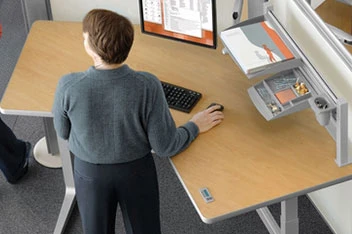
After determining the number of monitors, the next decision is whether to choose a desk-mounted or wall-mounted monitor arm. Desk-mounted options attach directly to your desk, providing a stable and easily adjustable solution. These are particularly well-suited for sit-to-stand desks and workstations that require frequent reconfiguration.
Advantages of Desk-Mounted Monitor Arms
- Versatility: Easily adjustable for different tasks and postures.
- Convenience: Quick installation and repositioning.
- Compatibility: Works well with sit-to-stand desks and height-adjustable desks.
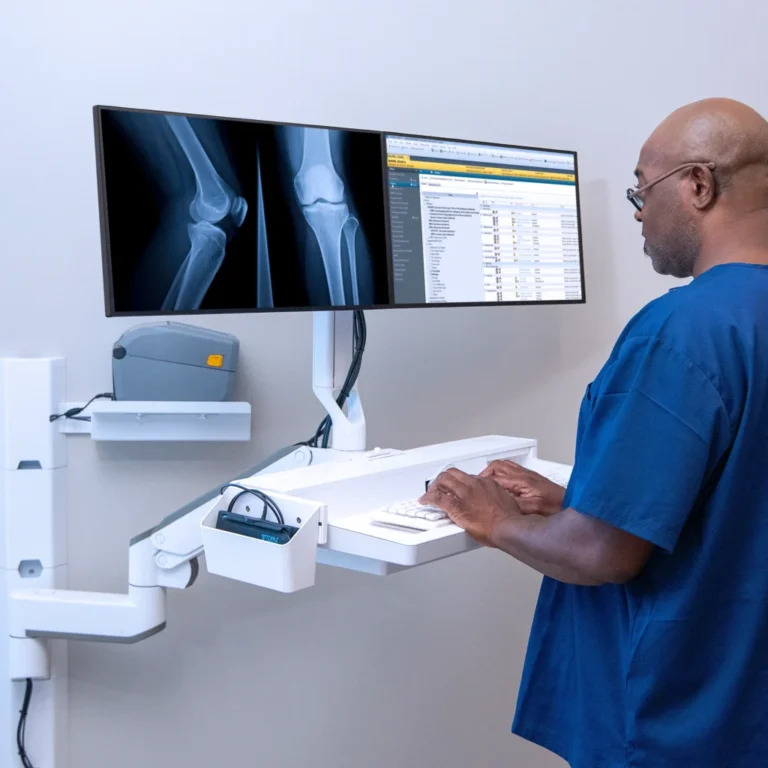
Wall-mounted monitor arms, in contrast, free up desk space entirely by securing monitors to a wall. This option is ideal for permanent workstations or environments where desk clutter is a concern, such as healthcare and laboratory settings.
Benefits of Wall-Mounted Monitor Arms
- Space efficiency: Frees up valuable desk space.
- Clean aesthetic: Provides a sleek and organized appearance.
- Stability: Fixed positioning reduces the need for regular adjustments.
Explore Active Ergonomics®’s healthcare wall-mounted monitor arms for more specialized applications.
Considerations for Monitor Arm Selection
Several factors should influence your decision when selecting a monitor arm. These considerations include your desk size, the number of monitors, the type of tasks you perform, and your ergonomic needs.
Key Factors to Consider
- Desk space: Ensure your desk can accommodate the chosen arm type and number of monitors.
- Task requirements: Consider the nature of your work and whether it necessitates multiple screens.
- Ergonomic adjustments: Prioritize arms with adjustable height, tilt, and swivel features to support a healthy posture.
- Weight capacity: Verify that the monitor arm can support your monitor’s weight and size.
For those working in specialized environments, such as laboratories, check out our lab bench wall mount solutions.
Installation and Compatibility
Installing a monitor arm is generally straightforward, but compatibility with your existing furniture and equipment is key. Ensure that the monitor arm is compatible with your desk or wall type and that it can support the weight and dimensions of your monitor.
Installation Tips
- Desk thickness: Verify that the clamp or grommet of the desk-mounted arm fits your desk.
- Wall type: For wall-mounted arms, ensure the wall can support the installation and weight.
- Monitor VESA compatibility: Confirm the arm supports your monitor’s VESA pattern.
To learn more about choosing the right configurations, visit our desk-mounted monitor arm solutions.
Conclusion
Choosing the right monitor arm is an essential step in creating a productive and comfortable workspace. Whether you opt for a single or dual, desk-mounted or wall-mounted monitor arm, Active Ergonomics® offers a range of solutions tailored to your specific needs. Explore our resources on ergonomic chair selection and monitor arms to enhance your office setup. Contact Active Ergonomics® for personalized assistance in finding the ideal ergonomic solutions for your workspace.