Introduction
Choosing the right monitor arm for your workspace can be a daunting task, especially when considering the compatibility of single versus dual monitor arms. This article dives deep into the mounting options, weight capacities, and ergonomic benefits of each setup, helping you determine which is best suited for your workspace and productivity needs. Active Ergonomics® offers expert guidance in selecting the ideal monitor arm configuration, ensuring your ergonomic workstation is both efficient and comfortable.
What Are the Key Differences Between Single and Dual Monitor Arms?
Understanding the fundamental differences between single and dual monitor arms is crucial for selecting the right setup. Each type offers distinct advantages that cater to different workspace requirements and user preferences.
Single Monitor Arms
Single monitor arms are designed to hold one screen, providing flexibility in positioning and angle adjustment. They are ideal for:
- Smaller workspaces where desk space is limited
- Users who prefer a minimalist setup
- Environments where tasks primarily require a single display
These arms are often easier to install and adjust, making them a popular choice for individual workstations. For more information on single monitor arms, visit Active Ergonomics® here.
Dual Monitor Arms
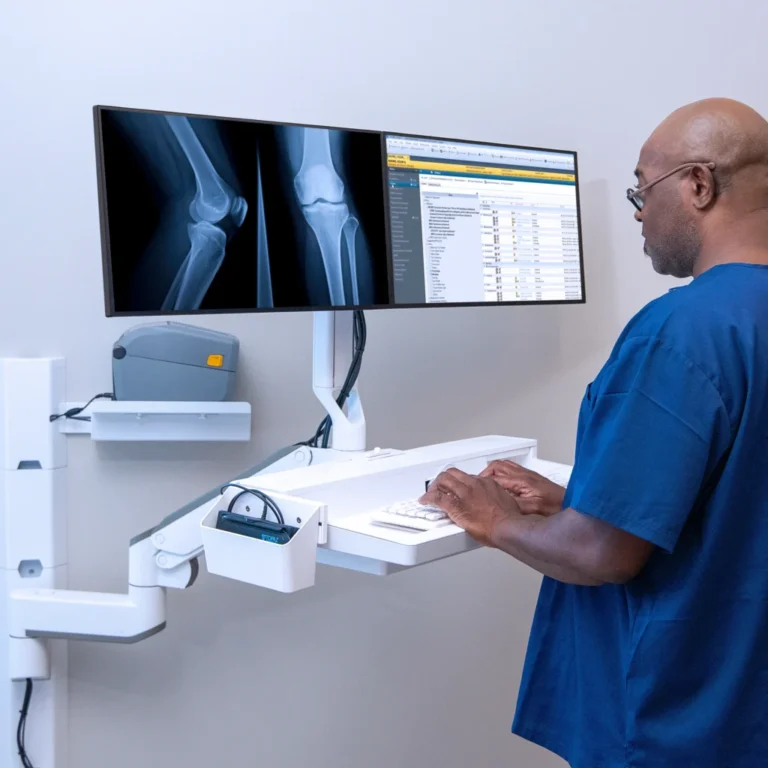
Dual monitor arms are constructed to support two screens, offering enhanced productivity for tasks that require multiple displays. They are suited for:
- Large desks with ample space
- Users who multitask with several applications simultaneously
- Environments like trading floors or design studios
By positioning two monitors seamlessly, dual arms can significantly improve workflow efficiency. Explore dual monitor arms at Active Ergonomics® here.
How Do Mounting Options Affect Compatibility?
The choice between desk-mounted and wall-mounted monitor arms can influence compatibility with your workspace. Key considerations include:
Desk-Mounted Arms
These arms attach directly to the desk, offering flexibility in positioning and providing a clutter-free workspace. They are ideal for:
- Desks with adequate edge space for clamping
- Quick and straightforward installation
- Adjustable desks or sit-to-stand desks
Desk-mounted arms are typically more versatile, allowing for easy repositioning. Learn more about desk-mounted single monitor arms here.
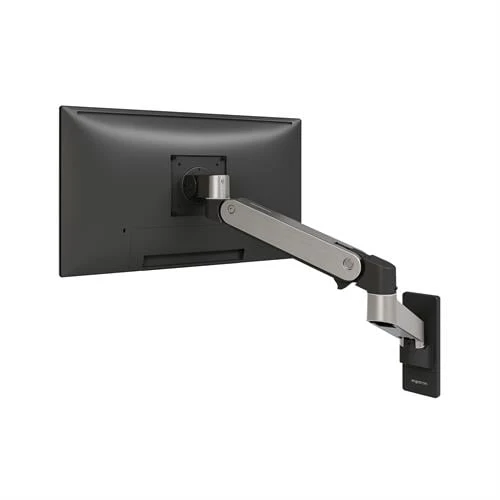
Wall-Mounted Arms
These arms attach to the wall, offering a permanent solution for clutter-free surfaces. They are suitable for:
- Shared workstations where desk space is premium
- Environments requiring high durability and stability
- Healthcare and laboratory settings with specific spatial needs
Wall-mounted options provide a sleek, modern look and are excellent for spaces with limited desk real estate. Delve into wall-mounted monitor solutions here.
What Weight Capacities Should You Consider?
Weight capacity is a critical factor in monitor arm selection, ensuring the arm can safely support your monitor(s).
Single monitor arms generally support monitors weighing between 5 to 20 pounds, which covers most standard screens. Dual monitor arms, however, need to accommodate double the weight, often supporting up to 20 pounds per monitor.
Checking the weight of your monitor(s) before purchasing is essential. Overloading a monitor arm can lead to instability and potential damage. Always verify the manufacturer’s weight recommendations to ensure compatibility.
What Are the Ergonomic Benefits of Monitor Arms?
Using monitor arms can significantly enhance ergonomic comfort, reducing strain on the neck, back, and eyes.
Single Monitor Arm Benefits
- Allows precise positioning of the monitor for optimal viewing angles
- Reduces neck strain by aligning the screen with the user’s line of sight
- Frees up desk space for other ergonomic accessories
Single monitor arms are particularly beneficial for individuals who spend long hours focusing on a single screen.
Dual Monitor Arm Benefits
- Facilitates easy switching between tasks on separate screens
- Encourages a more dynamic work posture by reducing repetitive reaching
- Supports multitasking without constant screen adjustment
Dual monitor arms are advantageous for professionals in roles that demand constant multitasking, such as designers, programmers, or financial analysts.
How to Determine Which Setup Best Suits Your Workspace?
Choosing between single and dual monitor arms ultimately depends on your workspace constraints and work habits.
Consider the following questions:
- How much desk space is available for mounting?
- Is your work mostly focused on one task or multiple concurrent tasks?
- Do you frequently adjust your monitor position throughout the day?
- What is the combined weight of your monitor(s)?
Answering these questions will guide you towards the most compatible and ergonomic solution for your needs. For personalized assistance, explore Active Ergonomics®’s recommended solutions here.
Conclusion
Determining the right monitor arm configuration is essential for creating a productive and comfortable workspace. Whether opting for a single or dual monitor arm, understanding the nuances of mounting options, weight capacities, and ergonomic benefits is key. Active Ergonomics® is here to help you navigate these choices, ensuring your workspace is perfectly tailored to your needs. Explore our range of monitor arms and find the perfect fit for your environment today.